01Loyalty cards
Add an existing loyalty card by scanning its QR code or barcode. If scanning is unavailable, enter the card number so the app can prepare a barcode. Open the saved card and present its code at the point of use. Supported cards display points, discounts, rewards, and expiry dates according to their program's rules.
02Membership cards
Add a membership card from the list. A partner employee can activate and validate the membership by session, monthly period, or expiry date.
03Interactive business card
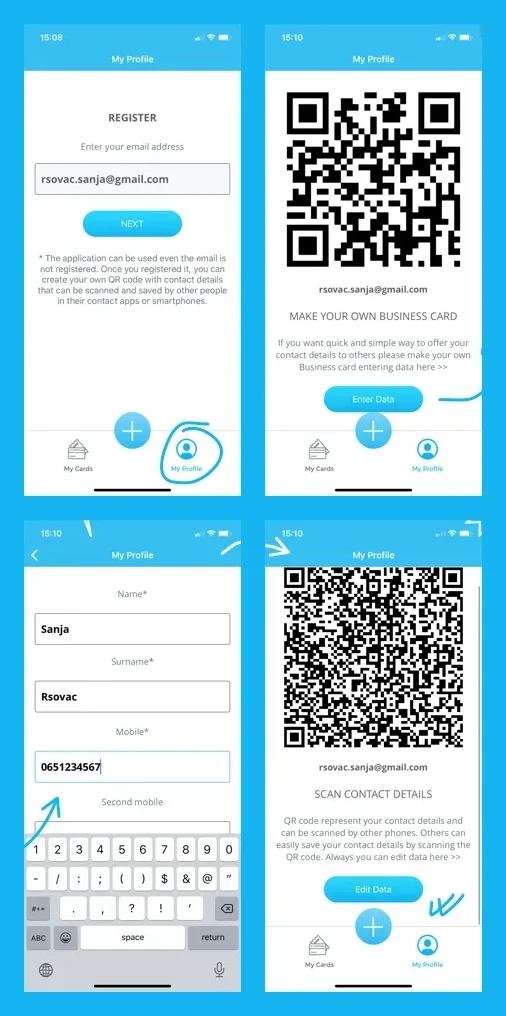
Add your email and contact details in My Profile. When another person scans your QR code, they can view the details you entered.
04Add and organize cards
Scan a QR code or barcode from a card or a gallery image. You can search and reorder saved cards, view them in a grid, and share a saved card with another person. Storing an existing card does not create a business program; review the partner solutions if you need to issue cards.